
1Part one
The app
Where invoices and quotes are made, sent and tracked.
- React 18 and Vite, a single-page app
- Supabase accounts and a Postgres database
- PDFs made in the browser
- Installs like an app on phones and computers
Live productMy own product, not a client project
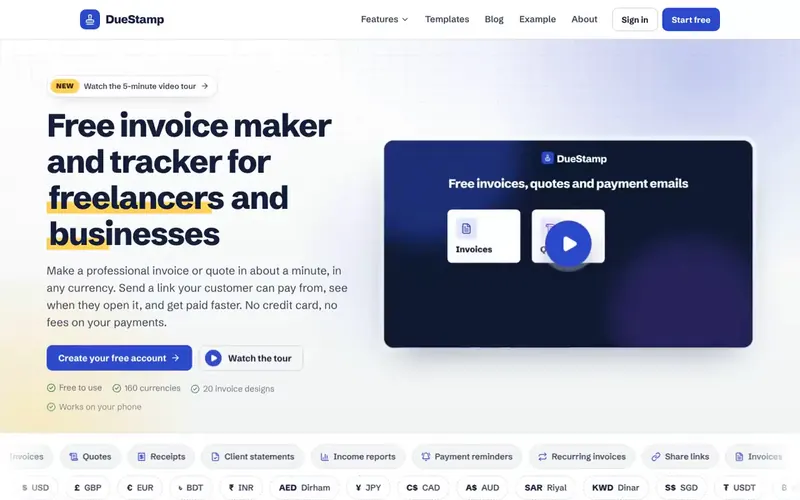
DueStamp is my own product, not a client project. It is a free invoice maker and tracker for freelancers and business owners: you make a professional invoice or quote in about a minute, in any currency, send a link your client can pay from, and see when they open it.
 Designed, built and written by Md Rafiul Alam
01Why it exists
I am a freelancer, and making invoices by hand in documents was slow, boring and easy to get wrong: currency formats, totals, numbering.
I also never knew whether a client had opened an invoice, and chasing payment was awkward. The paid invoicing tools that solve this charge a monthly fee.
So I built the tool I wanted, and made it free for everyone.
02The build
1Part one
Where invoices and quotes are made, sent and tracked.
2Part two
A separate marketing site, built to be found on Google.
How the two parts work together
Clients pay the user directly, through their own PayPal, Wise, Payoneer or bank details. So there is no card to sign up, no fee on payments, and DueStamp never touches the money.
03The product
Follow one invoice through DueStamp, in the order you would use it. Every screenshot uses sample data (John Doe Design), never a real customer.
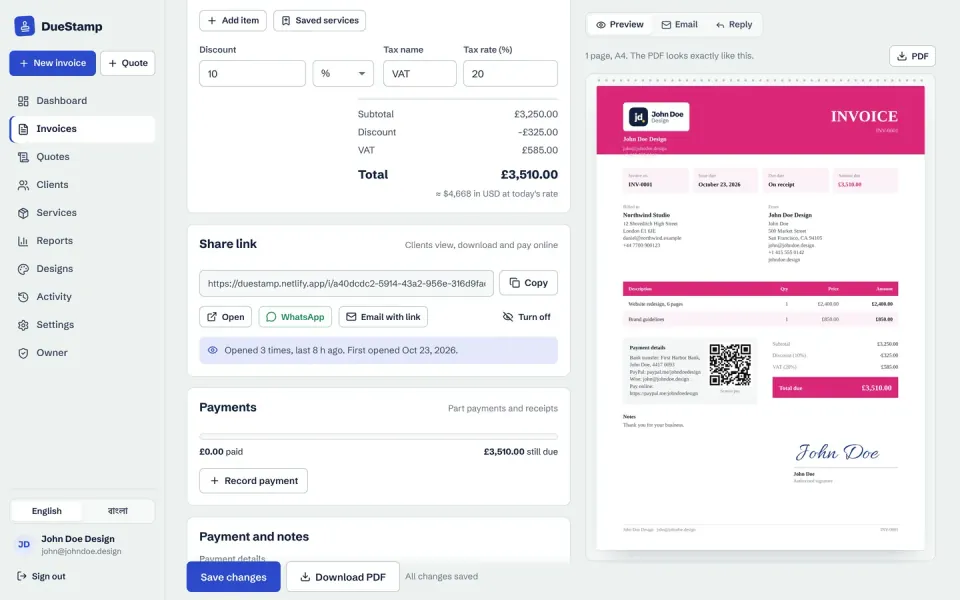
Pick a client, add items or saved services, a discount, tax and notes. The invoice number and due date fill themselves in, and the live preview beside the form matches the PDF exactly: logo, signature, payment details and a QR code.
Why it helpsOne invoice takes about a minute.
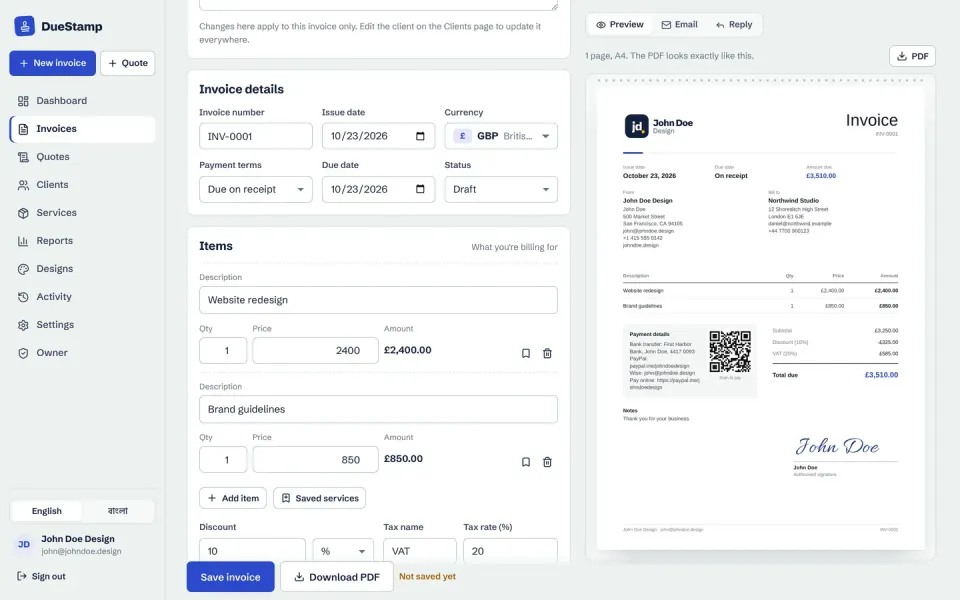
About 160 currencies plus USDT, USDC, BTC and ETH, each with the right symbol and decimals. Search by name, such as euro or taka, and the totals also show in your home currency at today's rate.
Why it helpsBilling a client abroad is as easy as billing one at home.

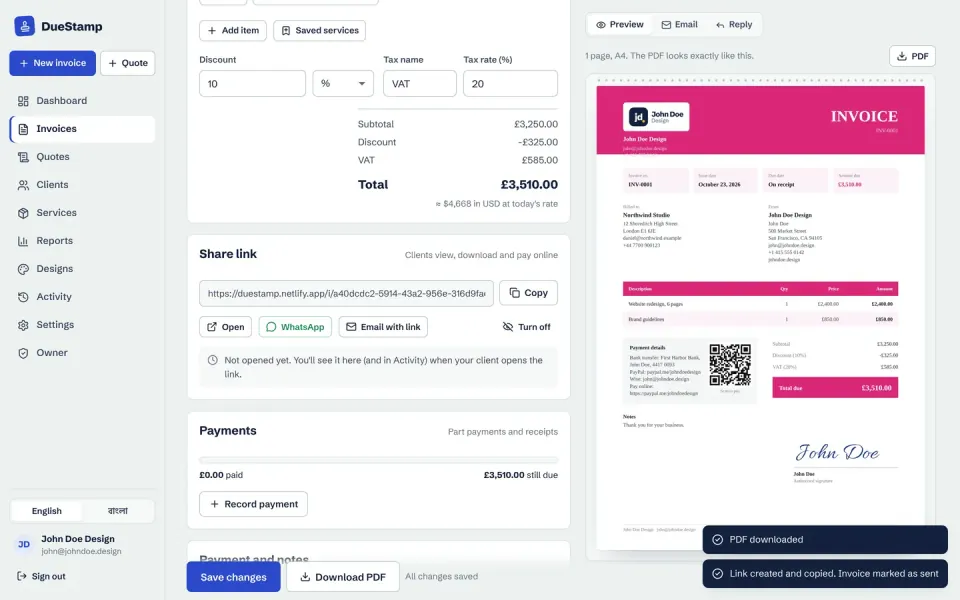
One click creates a private link and marks the invoice as sent. Copy it, open it, or share it on WhatsApp with a message written for you. Private links are kept out of search results.
Why it helpsThe invoice reaches your client wherever they actually read messages.
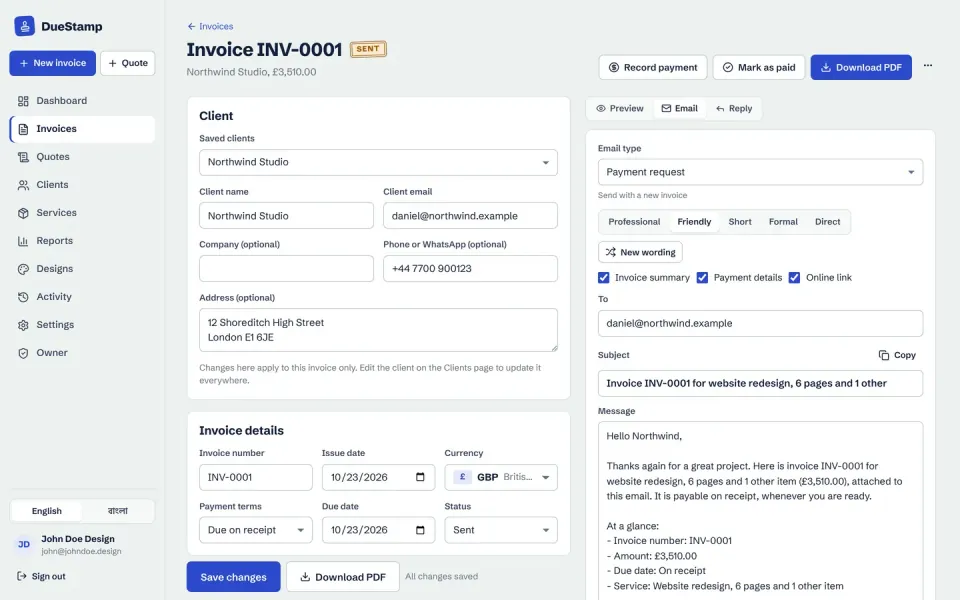
Twelve ready emails, from the first payment request to a final notice or a quote follow-up, each in five tones: Professional, Friendly, Short, Formal and Direct. They open in Gmail or Outlook, so they go from your own address.
Why it helpsYou never chase a payment from a blank email, which helps anyone who finds writing in English stressful.
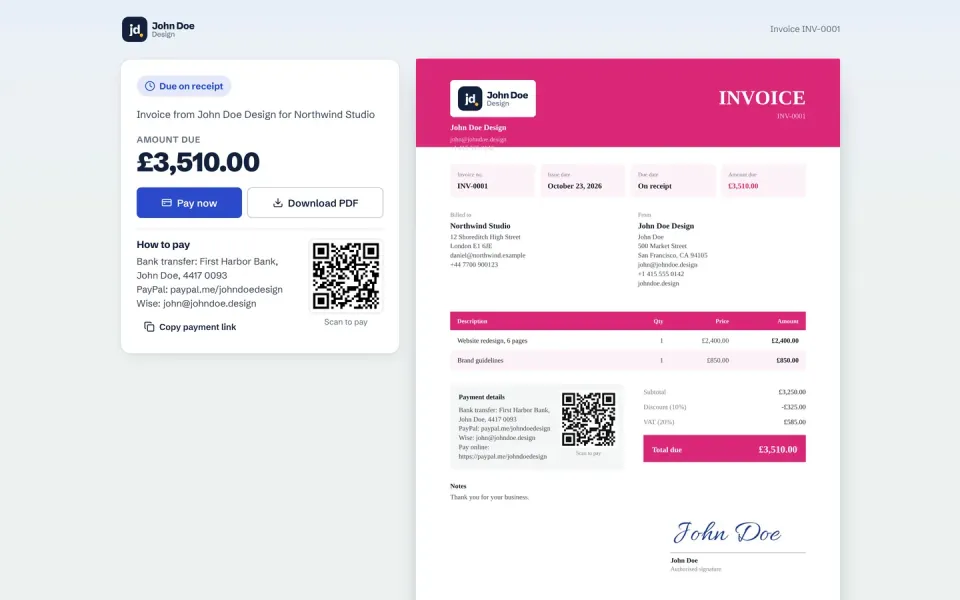
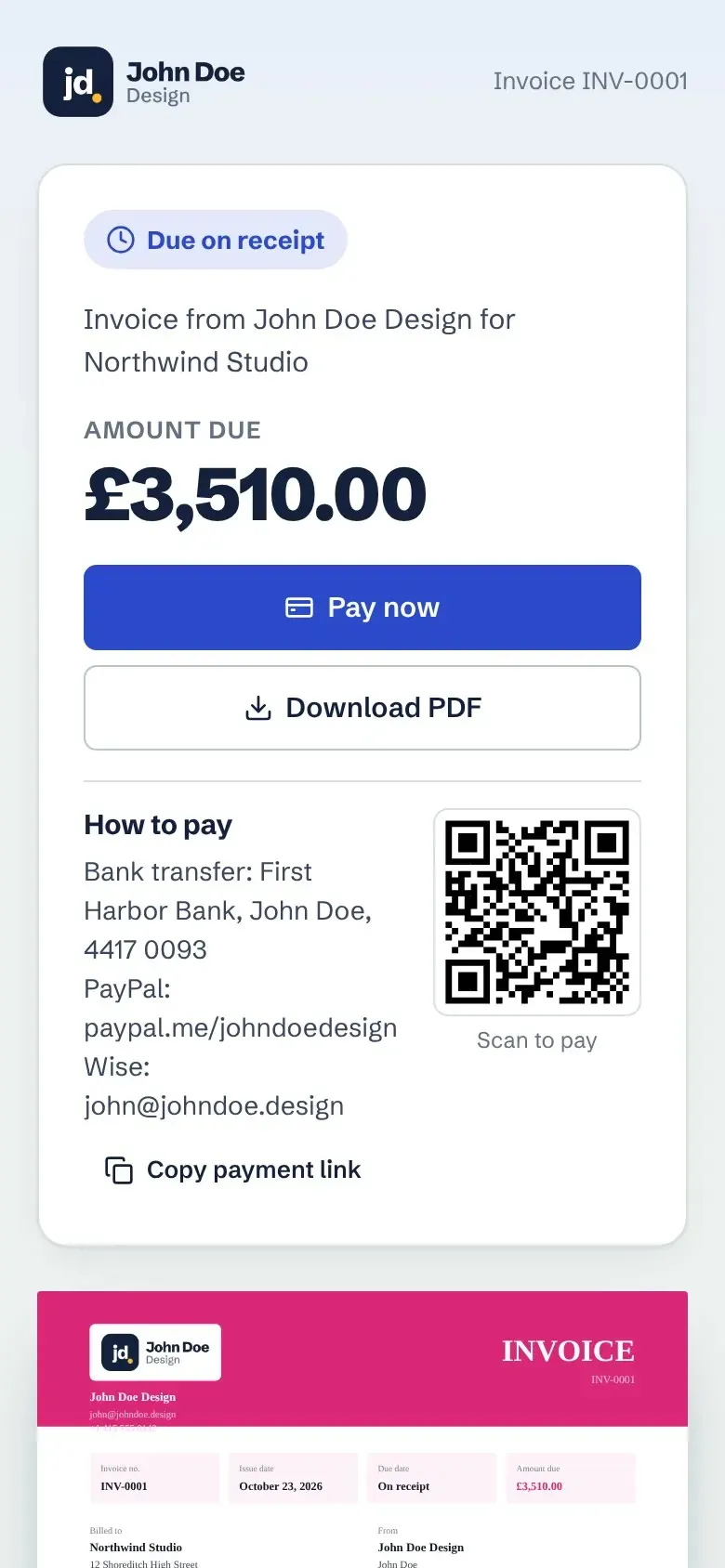
A clean page with the amount due, how to pay, a QR code, a Pay now button that goes to your own payment link, and the PDF. No account needed.
Why it helpsYour client can pay from their phone in a few taps.
The invoice shows whether, when and how many times the client opened the link, and the activity history keeps a record. Turn the link off at any time.
Why it helpsNo more wondering whether they saw it.
The dashboard lists what needs you: overdue invoices, links nobody opened, quotes with no answer and repeat invoices ready to check, each with the right button, such as Send reminder, Follow up or Final notice.
Why it helpsYou know who to chase today, without a spreadsheet or your memory.

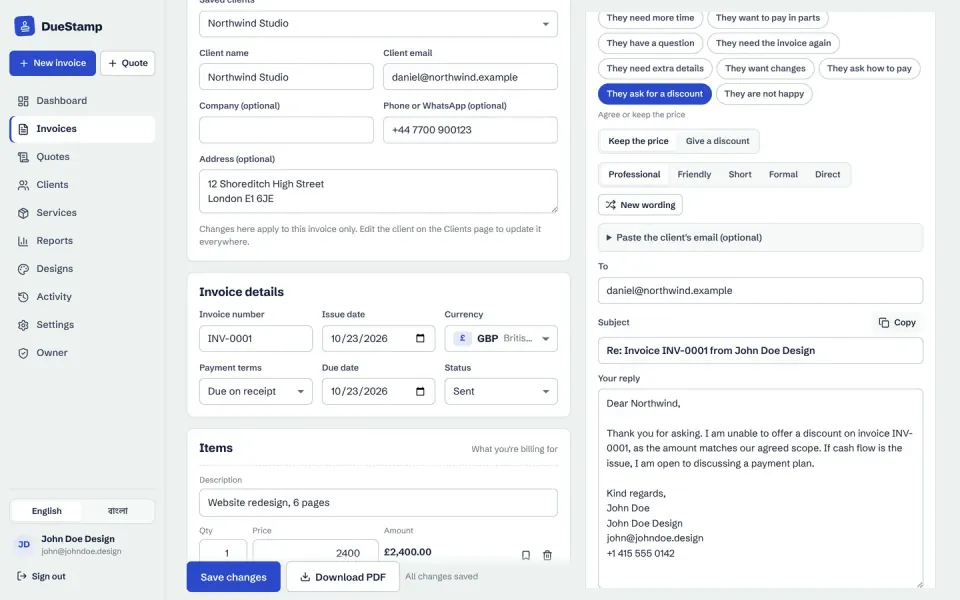
When a client writes back, pick what they said, such as they will pay soon, they need more time, they want to pay in parts or they ask for a discount, and get a calm reply to send.
Why it helpsThe awkward conversations are already written.
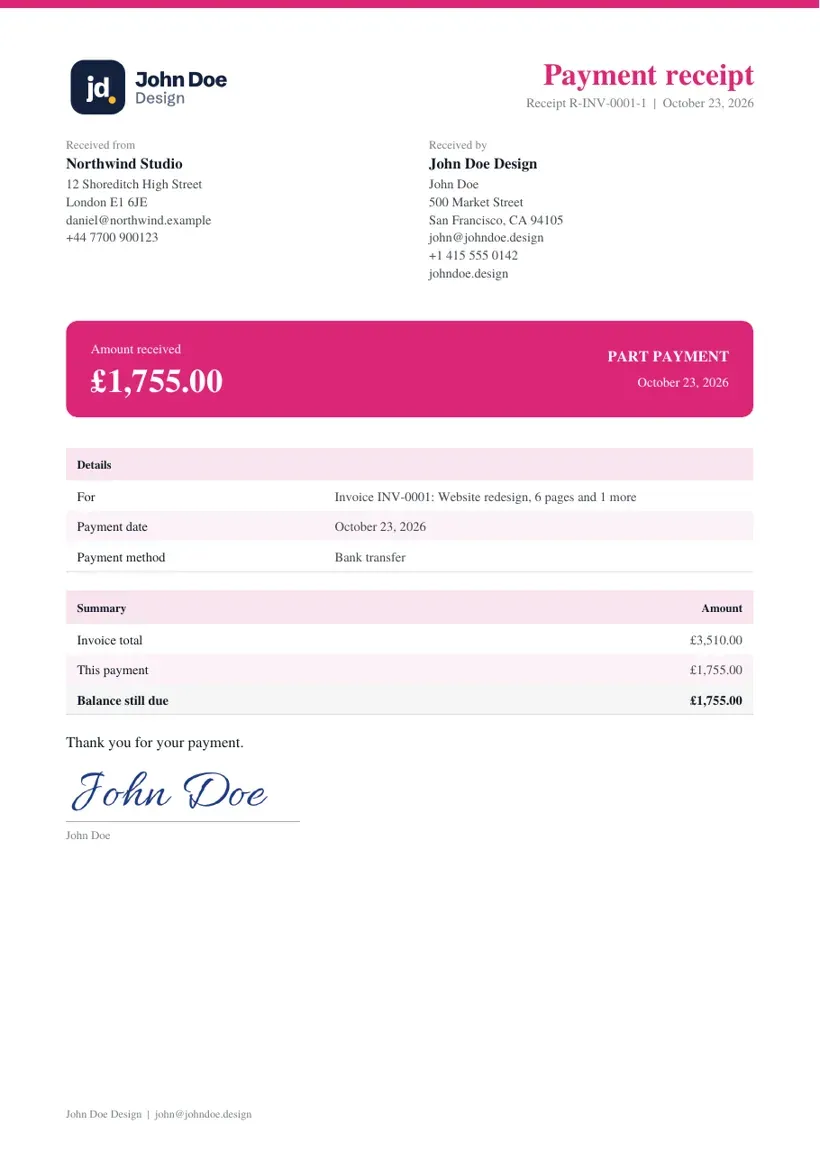
Record each payment with the date and method, see what is paid and what is left, and download a receipt PDF. You can also note what actually reached your account after fees.
Why it helpsDeposits and instalments stay clear for both of you.

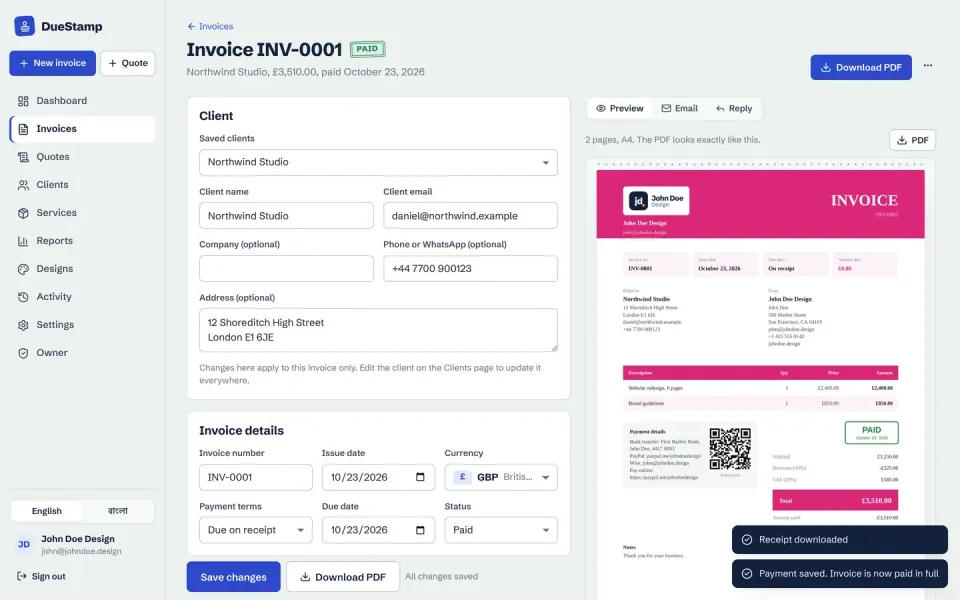
When the last payment is recorded, the invoice is marked paid, the preview shows a Paid stamp, and the receipt is one click away.
Why it helpsBoth of you have a clean record that the job is settled.
04The rest of the app
One invoice is the easy part. These are the screens that keep a year of clients, quotes and payments in order. Sample data throughout.
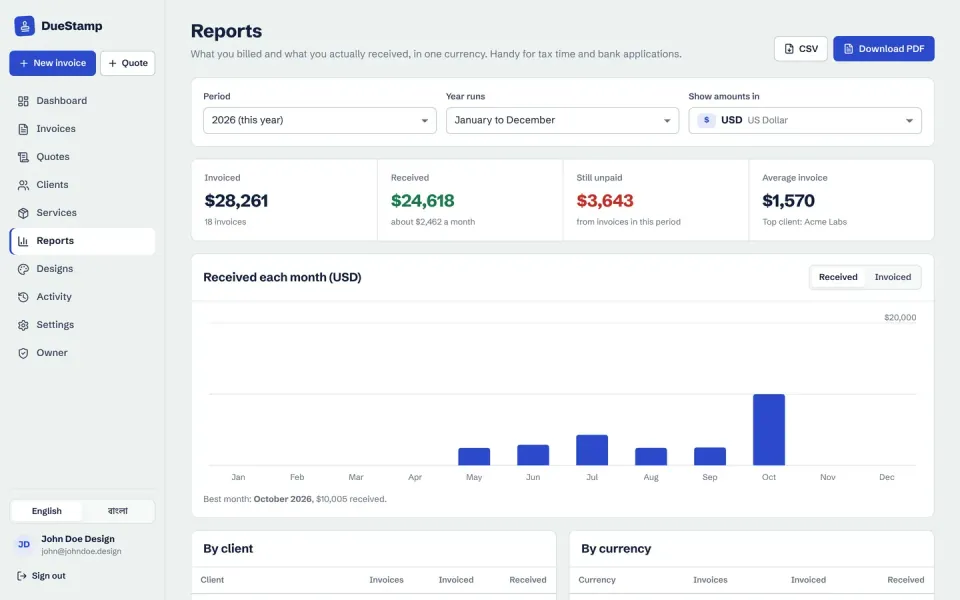
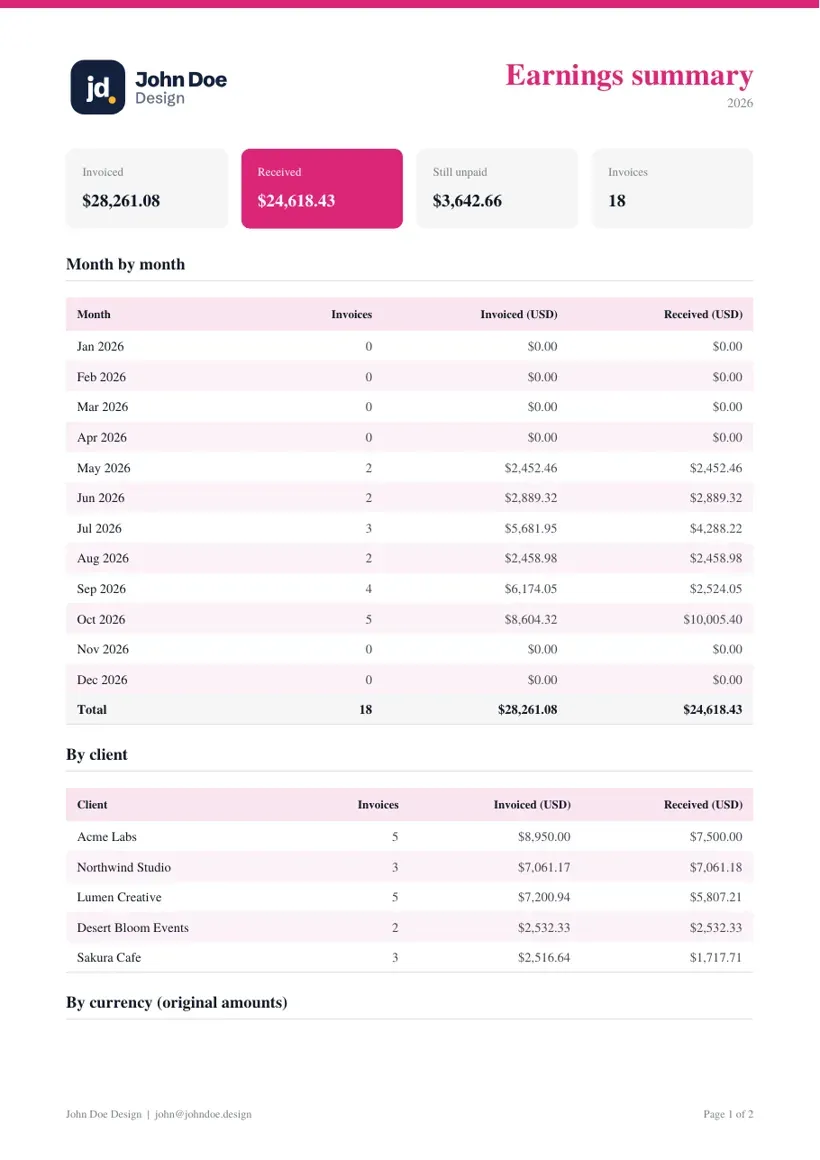
Invoiced against received, by month, client and currency, for a calendar year or a tax year, such as July to June in Bangladesh or April to March in the UK and India. Download as PDF or CSV.
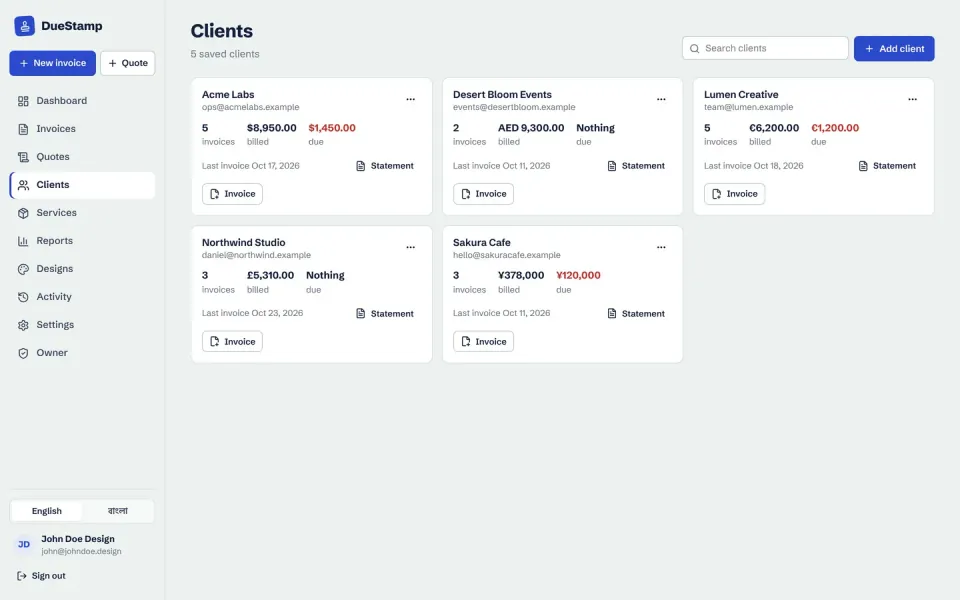
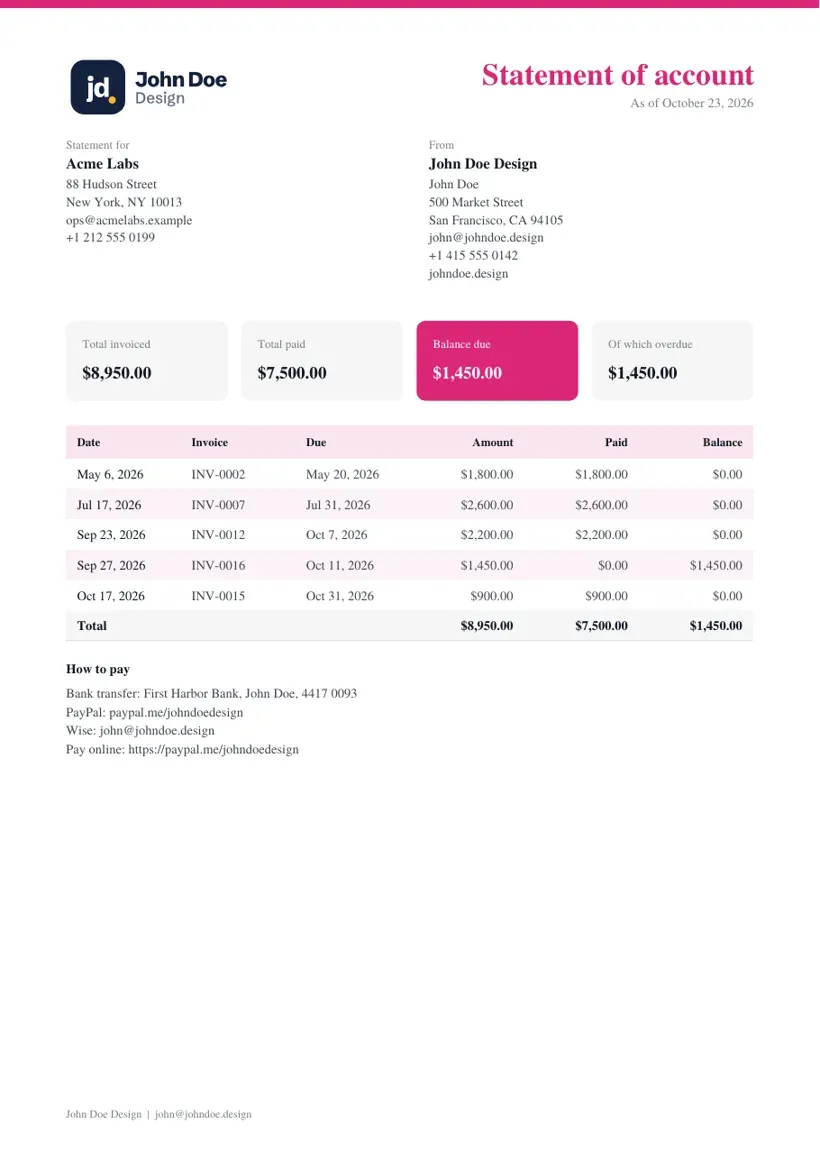
Every client's details and quick actions, plus a statement PDF with every invoice, payment and balance.
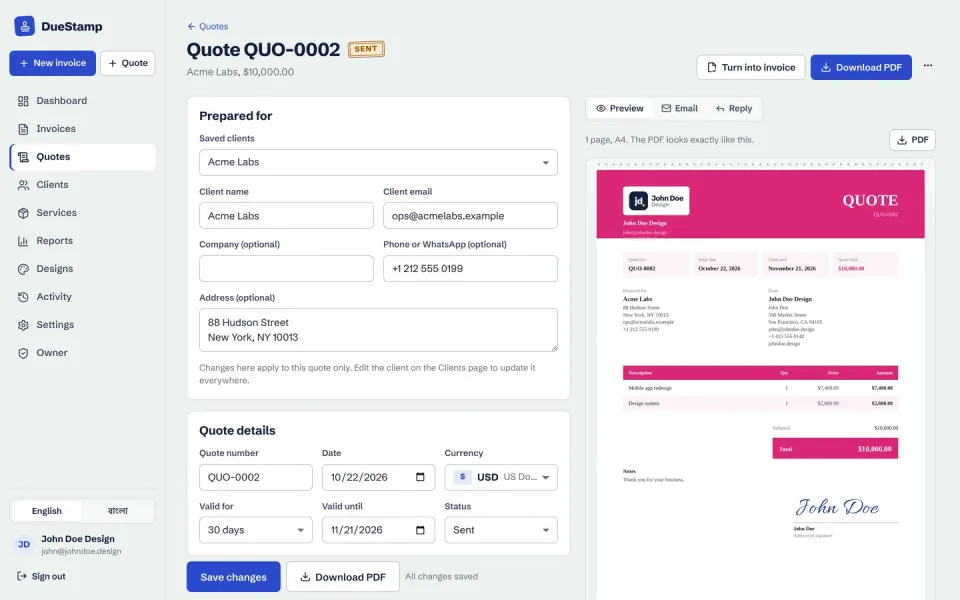
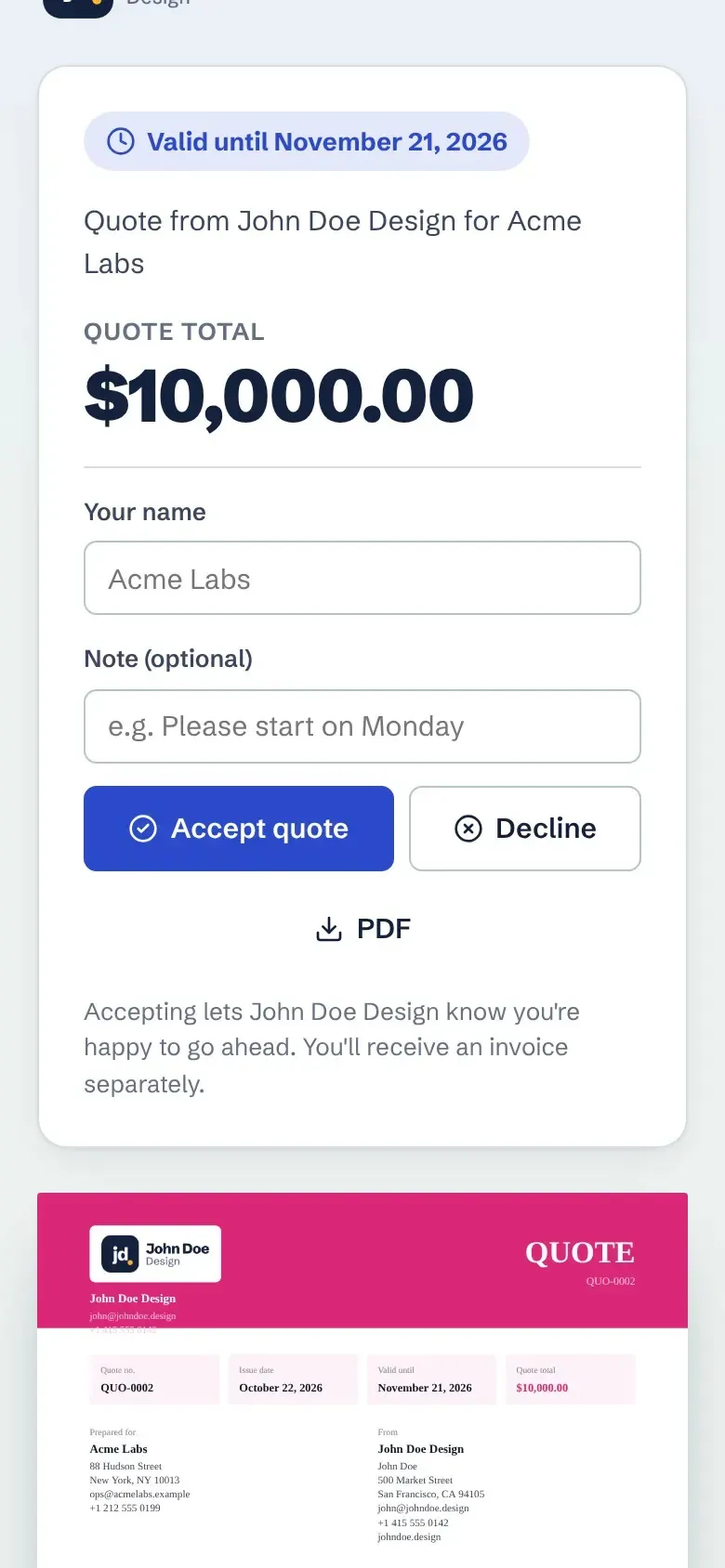
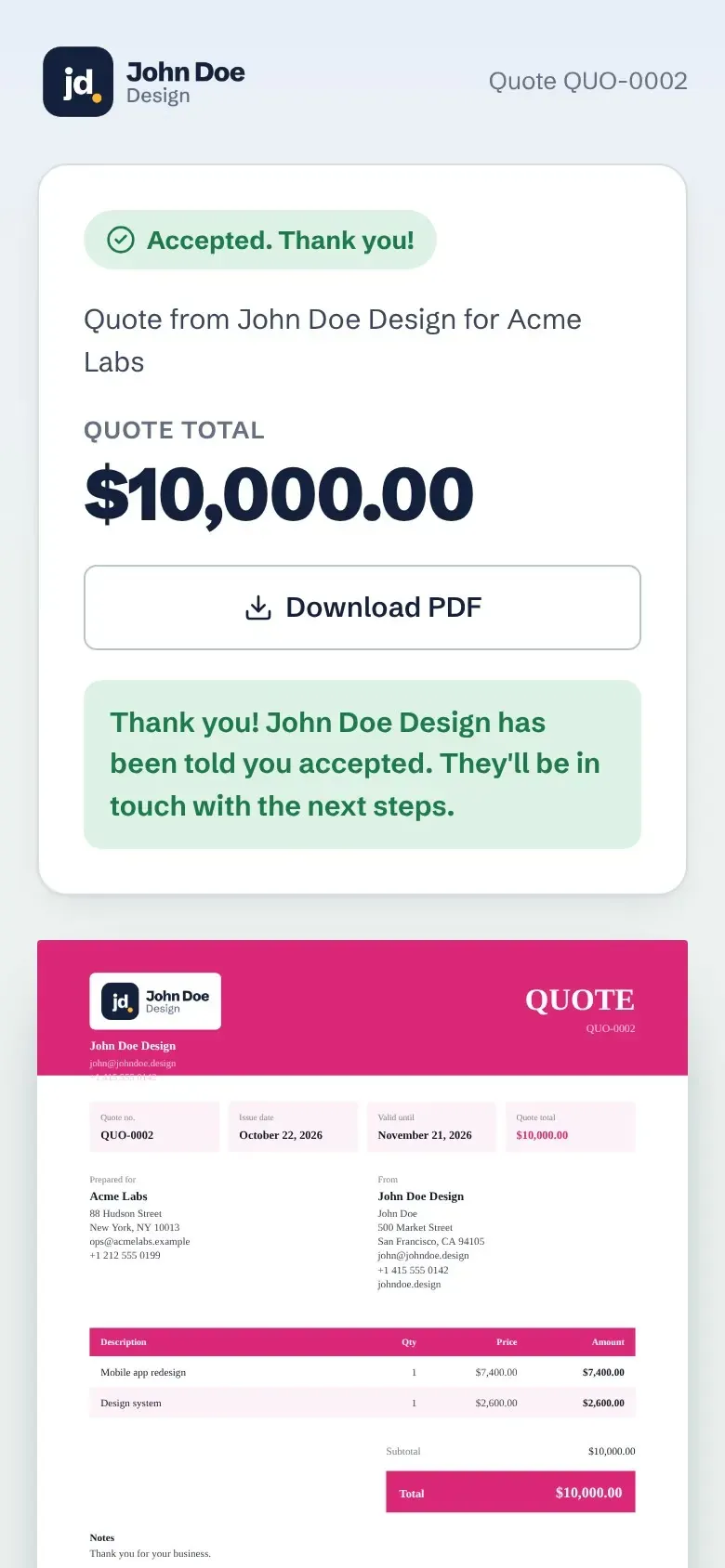
Send a quote the client can accept online. An accepted quote becomes an invoice in one click.
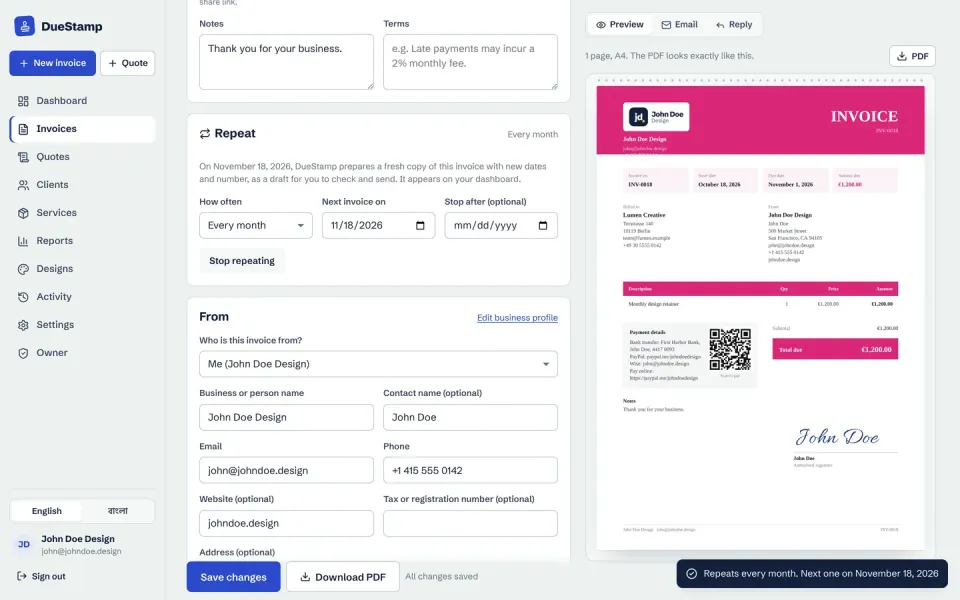
Weekly, monthly, quarterly or yearly, prepared as drafts for you to check and send.
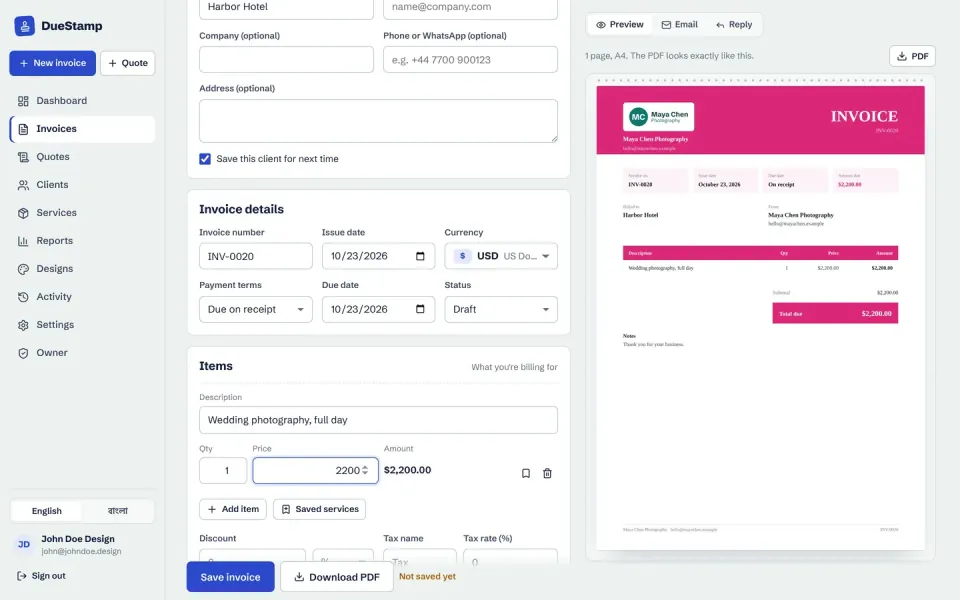
For a family member, teammate or client business, with their own name, logo and payment details.
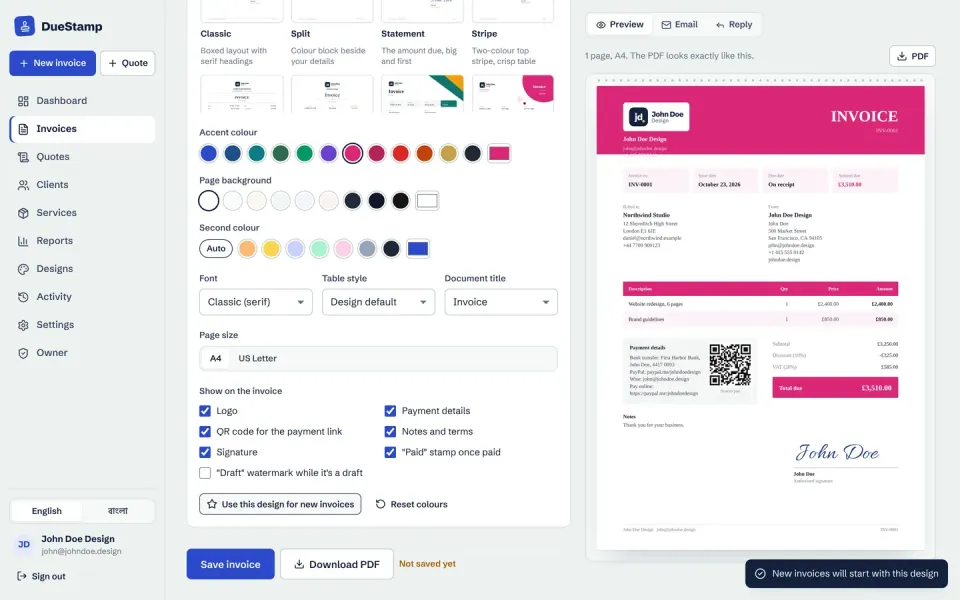
Accent and background colors, font, table style and document title, such as Tax invoice or Proforma invoice, and a Paid stamp once it is paid.
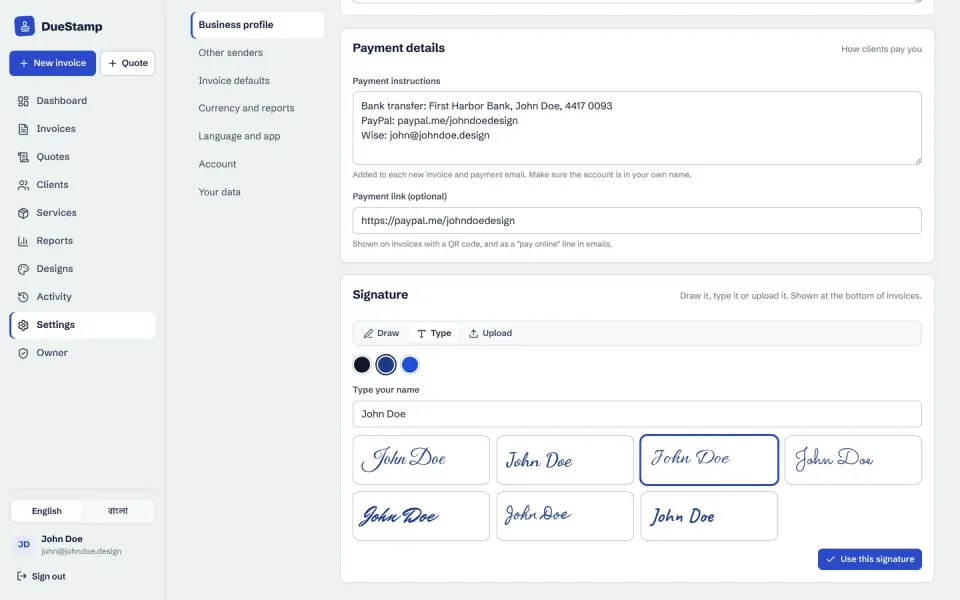
Draw it, type it in seven handwriting styles, or upload it.

Add what you sell once, then add it to any invoice in one click. The price converts to the invoice currency.
The pages your client sees work on a small screen, and DueStamp itself installs like an app on a phone, with no app store.
Sample data: John Doe Design and its sample clients.
Each one takes your own colors, font and logo, and the preview always matches the PDF. Shown here with sample data (Brightline Web Studio).
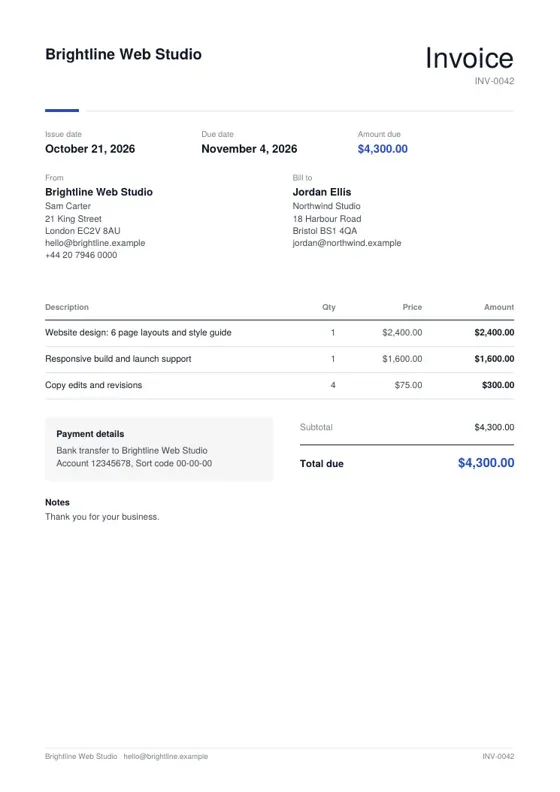 Minimal
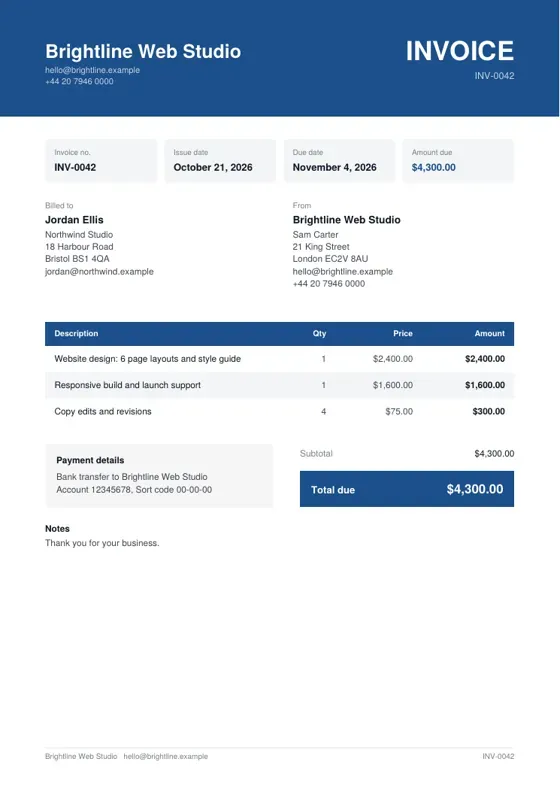 Corporate
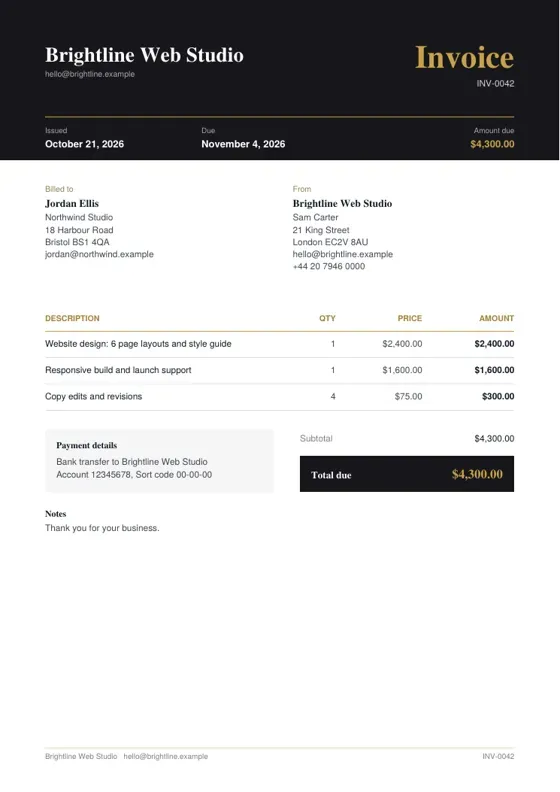 Black and Gold
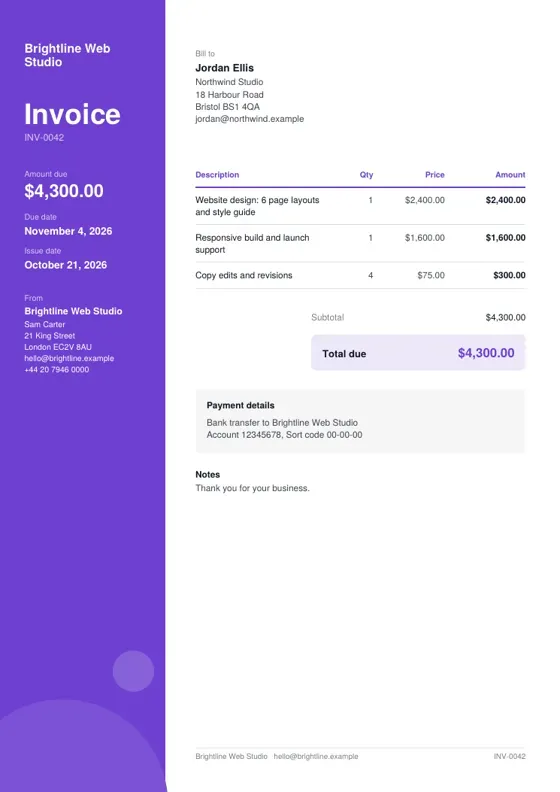 Creative
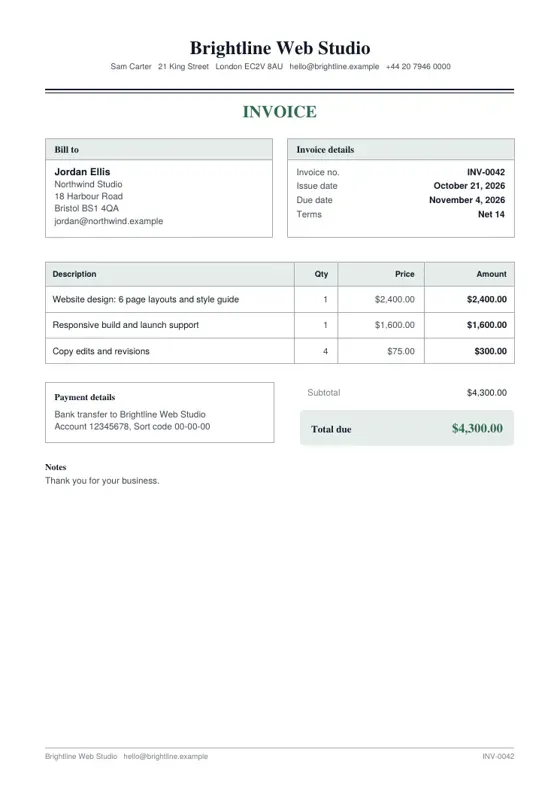 Classic
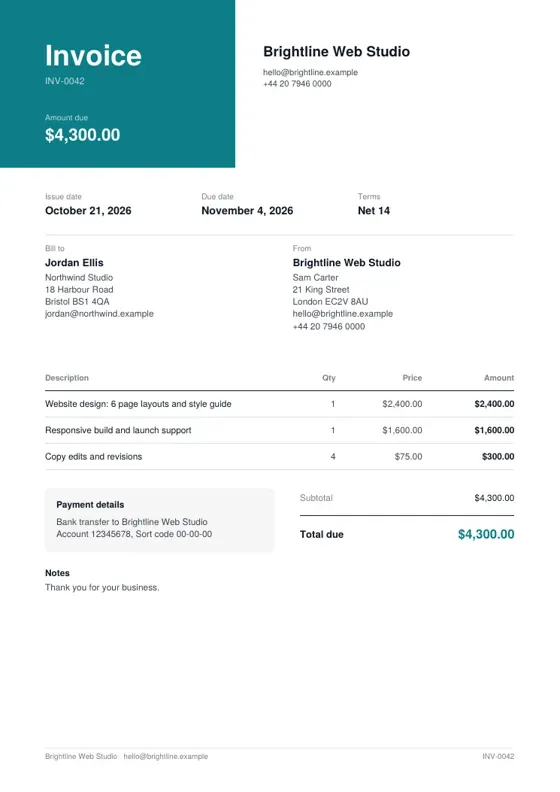 Split
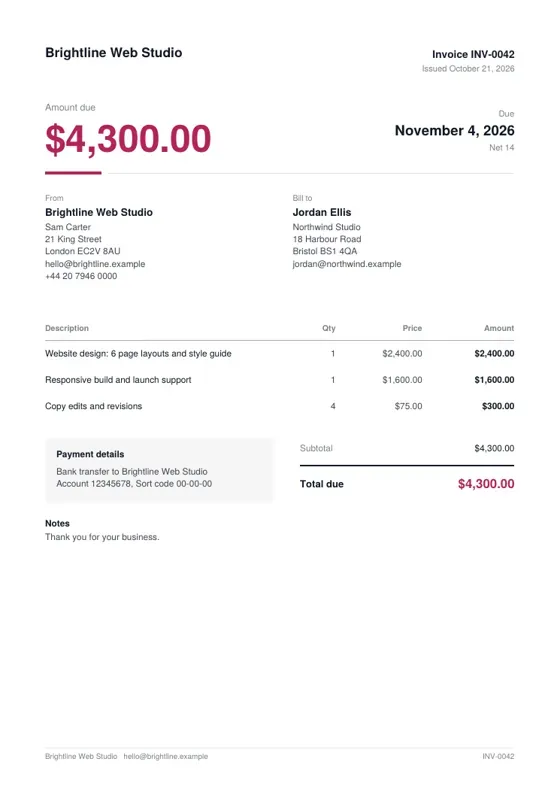 Statement
 Stripe
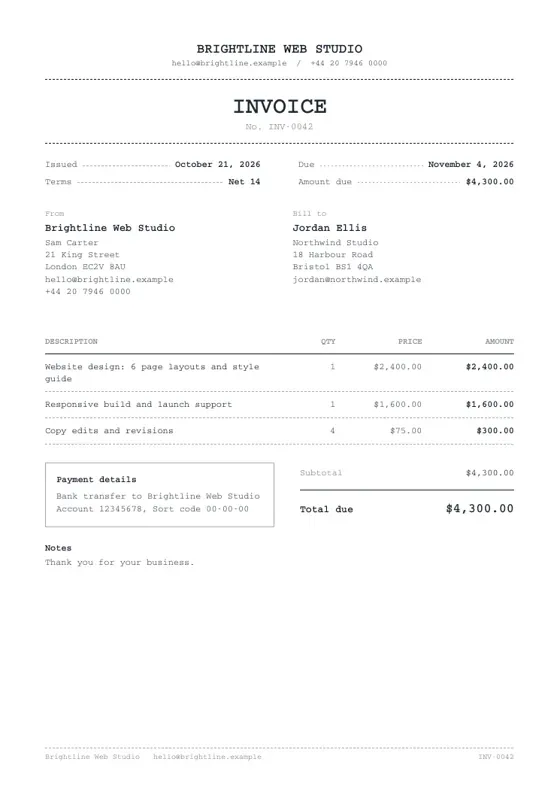 Typewriter
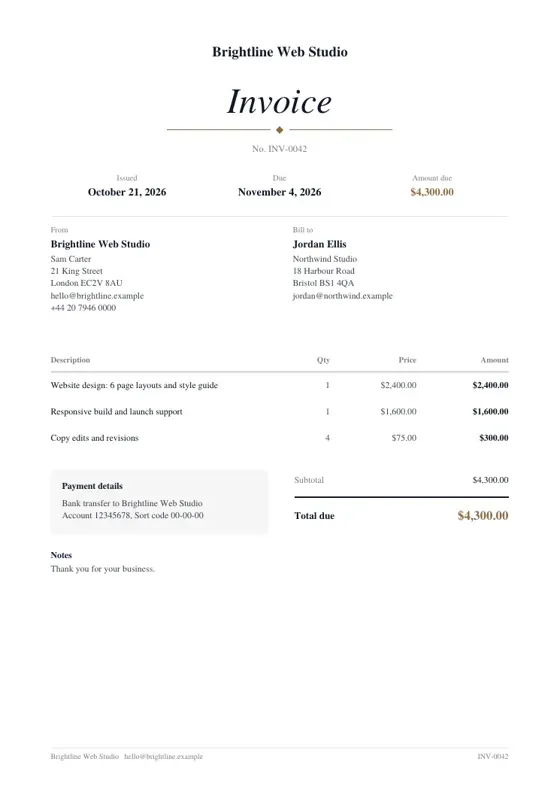 Elegant
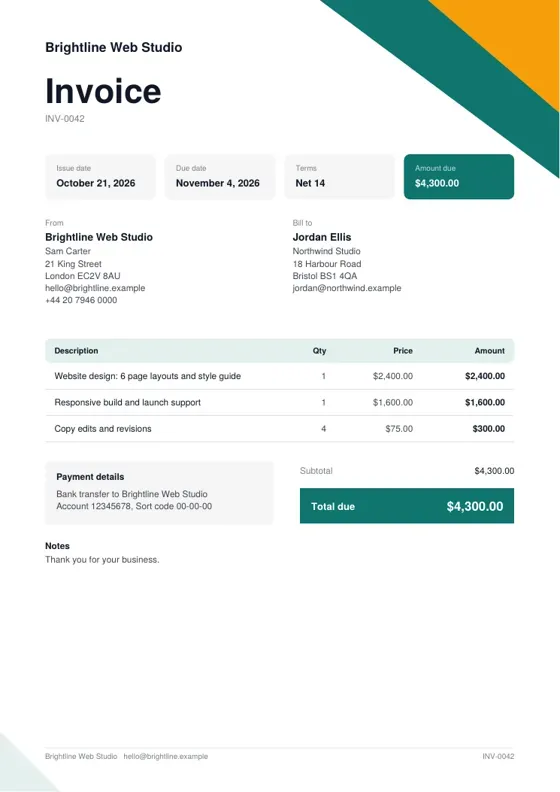 Geometric
 Bubble
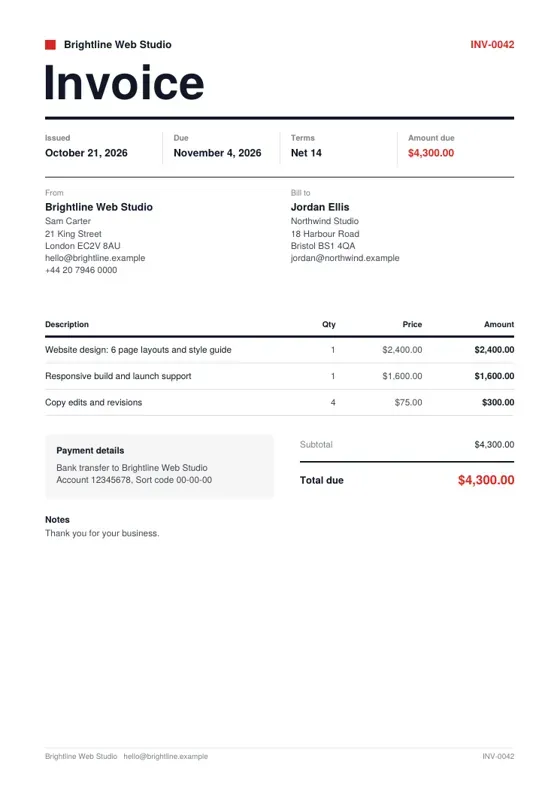 Swiss
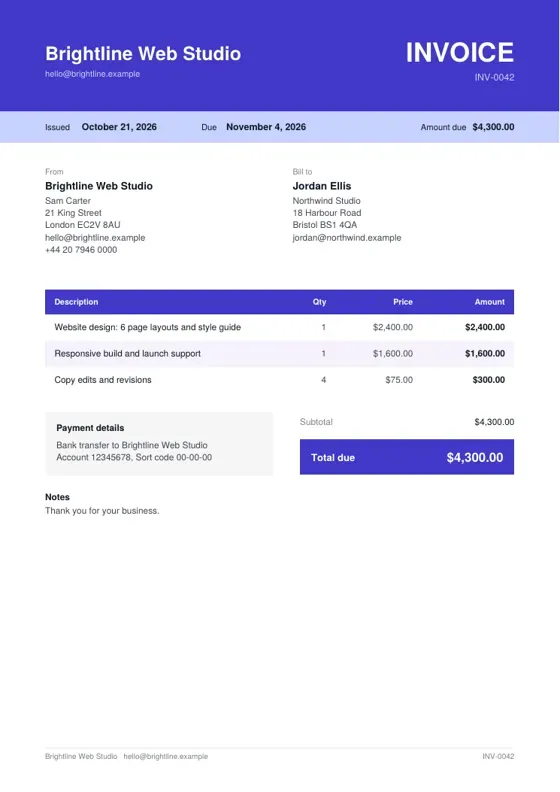 Duotone
 Compact
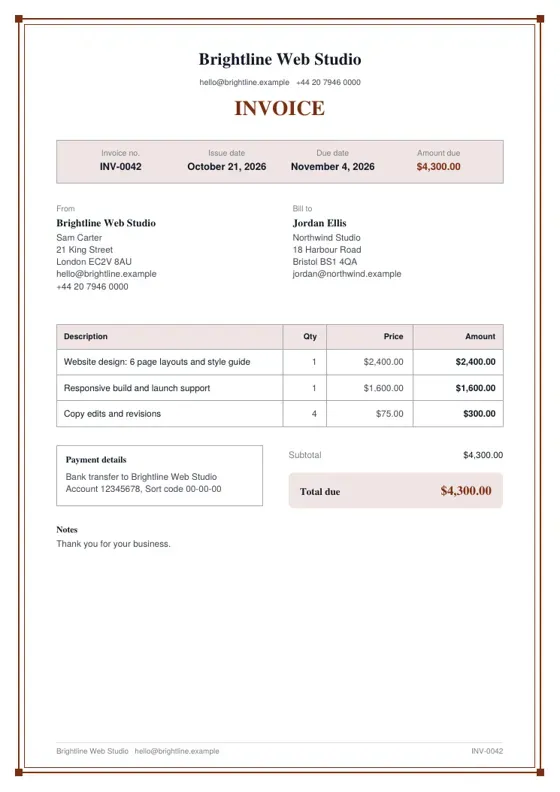 Frame
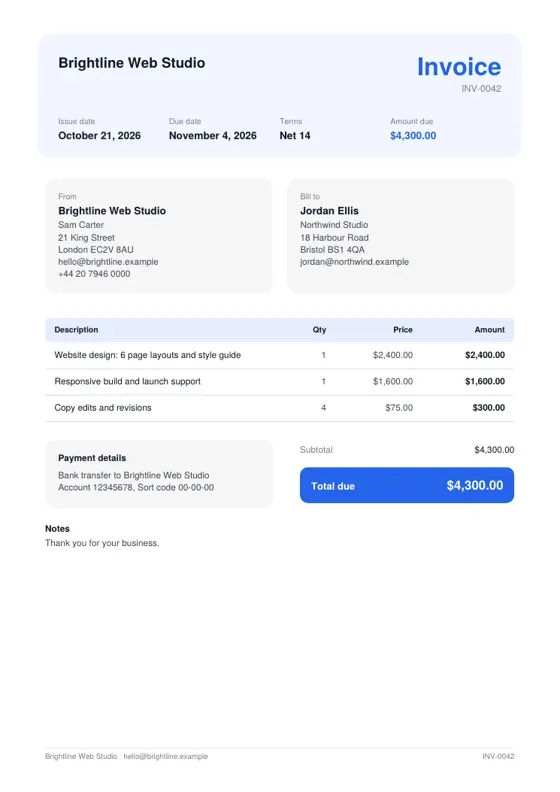 Soft
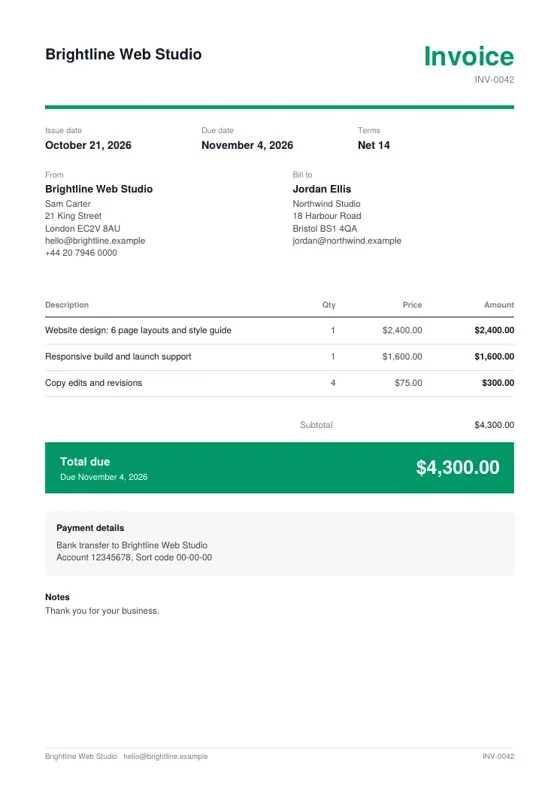 Banner
 Letterhead
 Midnight
Made in the browser, so nothing is uploaded to make them: an invoice, a receipt for each payment, a statement for each client and an earnings summary for the year.

05The SEO
Every page was planned around one search before any design was drawn. This is the part that matters most to the businesses I build for, and it is the same method behind my web app builds and growth websites.
Homefree invoice maker
Feature pages and guides link to each other
22 indexable pages. Everything else, the app screens and private invoice links, is kept out of search.
06The markup
Structured data tells search engines what a page is about in a form they can read without guessing. Every DueStamp page carries it. What schema markup is, in plain English.
WebSiteWebApplicationOrganization and PersonBreadcrumbListFAQPageBlogPostingVideoObject07The speed
One change made most of the difference. The full method is in my website speed guide, and it is what a speed and technical SEO sprint does for an existing site.
The silent preview of the video tour in the hero loaded with the page.
The video now starts only after the page has finished loading, and its poster image is preloaded.
The home page scored 100 for performance, accessibility, best practices and SEO on mobile and desktop. Feature pages, guides and the example page scored 100 on mobile.
CLS 0Layout shift (CLS) is 0, so nothing jumps while a page loads.
Lighthouse lab tests from before launch. They will be replaced with PageSpeed Insights results from the live site. The video at the top of this page uses the same fix. Run the test on the live site.
08The look
#14213D#2B4ACB#FFD25A#F3F6F5Type: Schibsted Grotesk
The home page is built as scroll scenes: feature tiles with small live illustrations (an invoice filling in line by line, a quote being accepted, currencies ticking over, an invoice opened alert).
A How it works story where the app screen beside the steps changes as you read, a statement whose words light up as you scroll, and numbers that count up.
The 20 invoice designs slide sideways as you scroll on desktop, and become a swipeable row on phones.
The motion is safe for search: all the content is in the HTML. Search engines, people with JavaScript off and people who prefer reduced motion get the plain page with nothing hidden. Only transform, opacity and filter animate, so nothing moves the layout, and if the script ever fails, everything simply shows.
09The stack
Everything runs on free plans and free public data, so the app can stay free for the people who use it.
DueStampTech stack
Running cost$0.00 a month
Thank you for reading
10The results
Waiting for data
DueStamp has just launched. Search results will be added here once Google Search Console has a few months of data: indexed pages, impressions and the searches it appears for, each with a date. No numbers until then.
DueStamp is free to use. If you want an app or a website built the same way, planned for search and fast from day one, book a call.
A 20-minute video call, no slides and no pressure. Bring your current site or your plan, and you'll leave with the three changes I'd make first, whether or not we work together.
Not ready to talk? Get a free video review of your site, or email hello@rankbuiltstudio.com.
Rankbuilt Studio
I'm Rafi, and I answer every message here myself, Monday to Friday, 8am to 5pm UK time (until 12pm New York time). If I'm away from my desk, add your email and I'll reply there.
Loading your conversation
Live chat is not available right now, so this goes to me as a message and I'll reply by email.
Or email hello@rankbuiltstudio.com, or message me on WhatsApp.